Why?
Options for storing passwords:
- In your head…
- In a text file - secure
- Google Chrome / Firefox / … - passwords stored who knows where
- Bitwarden / 1Password / ProtonPass - okay, but you gotta pay, and data on someone else’s servers
- Your own server - pog
Why not just run regular Bitwarden on a VPS?
You can. Bitwarden officially can be spun up with
docker run bitwarden/self-host
But:
- Need a VPS - from $5/mo
- Need Docker, need to make sure it doesn’t crash, need to update, need to backup
- For one person - overkill, but cool
What I want: free, nothing to admin, and it just works.
NodeWarden - Bitwarden-compatible server on Cloudflare Workers
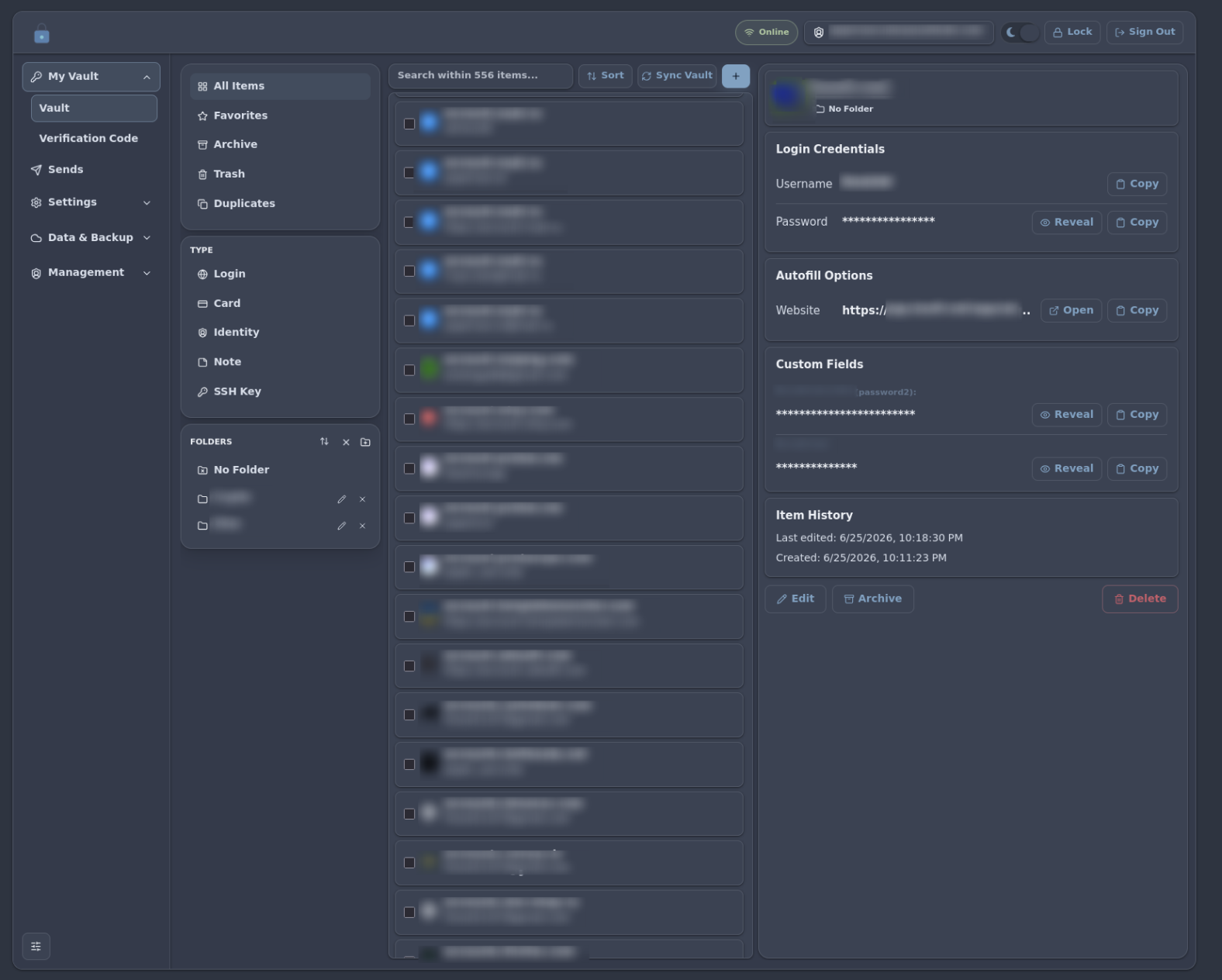
NodeWarden - a fork of the Bitwarden server that runs directly on Cloudflare Workers.
So:
- Free (Workers - 100k requests/day)
- Nothing to admin
- Cloudflare updates the infrastructure itself
- Database - Cloudflare D1 (free: 5 GB, 5 million rows read/mo)
Compatible with all Bitwarden clients: browser extension, mobile app, CLI.
Deployment
Briefly:
- Fork shuaiplus/nodewarden.
- Clone locally:
git clone <your-fork> && cd <your-repo> && npm install - Edit
wrangler.toml:name,database_nameetc. - D1 database is created automatically on first deploy - wrangler will spin up
database_namefrom config. - Add
JWT_SECRET: Dashboard → your worker → Settings → Variables. Any string >=32 chars, e.g.openssl rand -base64 32. - Deploy: Cloudflare Dashboard → Workers & Pages → Create → Pages → Connect to GitHub, select your fork. Cloudflare pulls the code, builds and deploys on every push to
main. Build command -npm run build, worker deploys alongside Pages. No GitHub Actions needed.
Important: Cloudflare has a free plan, but to create R2 you need to attach a credit card.
NodeWarden has a deploy:kv mode that uses KV instead of R2 (file attachments). Database is D1 in both cases - nothing to attach, fully free. (if you can, you can attach an empty card, but the free limits are more than enough)
Is it safe?
overall: yes
In detail:
Under the hood it’s the standard Bitwarden end-to-end encryption scheme:
- Master password → KDF → master key (symmetric, AES-256). Lives only in the browser, never leaves.
- Master key → HKDF → encryption key - encrypts all passwords, TOTP keys, notes. The server only sees encrypted garbage.
- Additionally, an asymmetric key pair is generated: public key stored openly on the server, private key is encrypted with the encryption key and also sent to the server (needed for sync between devices).
- Master password → KDF → client hash - sent to the server. The server salts it again (server hash) and stores only that.
- The server cannot decrypt the vault. At all. It has no keys - only a hash for verifying the password at login.
The server only stores encrypted data. Even if the database is stolen - the attacker gets useless data that can’t be cracked without the master key.
Caveats
There are nuances:
Dependency on CF and GitHub
Cloudflare theoretically could modify your worker if they get hacked or cf itself gets compromised.
How realistic that is - depends on your paranoia and hygiene.
Features
NodeWarden supports most Bitwarden features. Here’s what’s available:
Send
Create a temporary link with text or a file attached.
Burns after time or number of views.
You can optionally password-protect the link. Sends can be manually revoked at any time.
Backup Center
Schedule automatic backups. Backups are encrypted - without the master password they’re useless.
TOTP (Verification Codes)
Built-in TOTP generator - attach to a password and use instead of Google Authenticator or similar.
Passkeys
Replace the master password with a WebAuthn key.
2FA on login
Two-factor authentication at login.
But if someone steals the database + password, 2FA won’t help.
API Key
For Bitwarden CLI and automation.
Verdict?
Pros:
- Free
- Nothing to admin
- E2E encryption
- Bitwarden compatibility (any client)
- TOTP, Send, Passkeys, 2FA, Backup Center, API Key
- Cloud backups (WebDAV/S3)
Cons:
- Dependency on Cloudflare and GitHub
- No password sharing between users (each sees only their own vault)
A solid “set it and forget it” option for those who don’t want to pay for Bitwarden Premium, don’t want to give passwords to Google, and don’t want to admin a VPS.